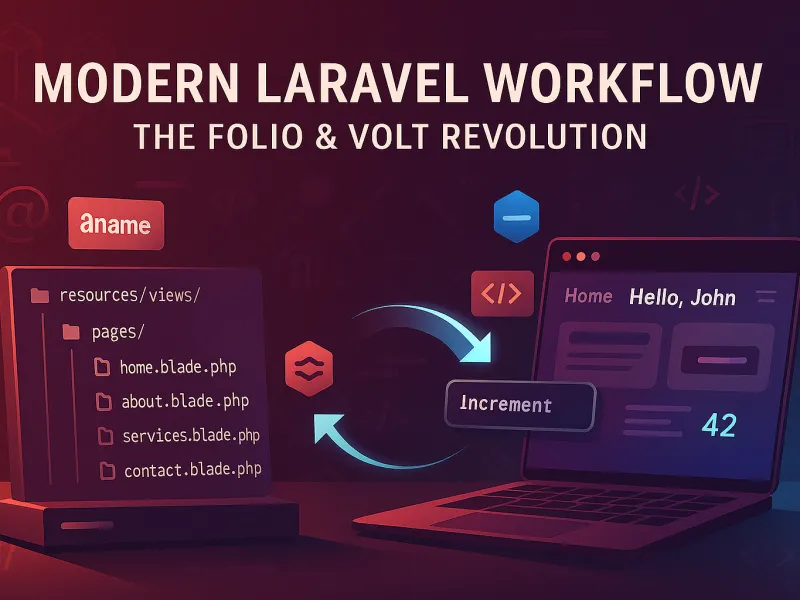
The Evolution of Workflows in Web Development
Web development has undergone a remarkable transformation over the past decades. In the early days, we stored everything in databases - content, settings, even layout templates. This approach provided flexibility but often at the cost of efficiency and complexity.
Then came the rise of **file-based CMS platforms built on Laravel**, such as **Statamic** and **October CMS**. These systems utilized the file system for content and settings, offering improved efficiency and developer-friendly workflows. However, as they evolved to meet diverse needs, many grew into **large, complex systems** — becoming "a thing in themselves" with steep learning curves and considerable overhead. While powerful, they often introduced a level of scope and abstraction that could overshadow the simplicity and flexibility for which developers originally chose Laravel.
"We've come full circle: from database-heavy applications to complex file-based CMS platforms, and now to the perfect hybrid - Laravel Folio with Livewire Volt."
Laravel Folio: The File-Based Routing Revolution
Laravel Folio represents a paradigm shift in how we think about routing and content delivery. Instead of maintaining complex routing files and controller methods, Folio allows you to organize your application structure directly through your file system.
How Folio Works in Practice
In a traditional GothamFolio setup (as visible in our routing architecture), Folio automatically maps URL paths to Blade templates:
resources/views/pages/
├── index.blade.php          → /
├── resume.blade.php         → /resume
├── resume/
│   ├── en.blade.php         → English resume
│   ├── ru.blade.php         → Russian resume
│   └── eo.blade.php         → Esperanto resume
└── documents/
    ├── privacy.blade.php    → /privacy
    └── terms.blade.php      → /terms
The beauty of this approach is its simplicity. No longer need to maintain routing definitions - your file structure is your routing structure.
Livewire Volt: The Magic of Single-File Components
While Folio handles the routing, Livewire Volt brings interactive functionality to your file-based pages. Volt allows you to create reactive components using PHP classes directly within your Blade templates.
Volt in Action
Here's how you could create an interactive language switcher with Volt:
<?php

use function Livewire\Volt\{state, mount};

state(['currentLanguage' => 'en', 'availableLanguages' => []]);

mount(function () {
    $this->availableLanguages = [
        ['code' => 'en', 'name' => 'English', 'emoji' => '🇺🇸'],
        ['code' => 'ru', 'name' => 'Russian', 'emoji' => '🇷🇺'],
        ['code' => 'eo', 'name' => 'Esperanto', 'emoji' => '🇸🇦']
    ];
    $this->currentLanguage = session('locale', 'en');
});

$changeLanguage = function ($languageCode) {
    session(['locale' => $languageCode]);
    $this->currentLanguage = $languageCode;
    $this->dispatch('language-changed');
};

?>

<div class="language-switcher">
    @foreach($availableLanguages as $language)
        <button
            @click="changeLanguage('{{ $language['code'] }}')"
            :class="{ 'active': currentLanguage === '{{ $language['code'] }}' }"
        >
            {{ $language['emoji'] }} {{ $language['name'] }}
        </button>
    @endforeach
</div>
When to Use Full Livewire vs Volt
While Volt is excellent for simple interactive components, there are cases where full Livewire components are preferable:
- Complex business logic requiring multiple methods and computed properties
- Extended lifecycle hooks beyond mount() and boot()
- Reusable components across multiple projects
- Complex validation scenarios requiring form objects
Hybrid Approach: The Best of Both Worlds
The true power emerges when you combine Folio's file-based routing with database-based content. This is precisely the architecture I implemented in the GothamFolio application.
Strategy for Static vs Dynamic Content
📁 File-Based (Folio)
- • Resume pages
- • Legal documents
- • Portfolio items
- • Contact forms
- • Static content
🗄️ Database-Based
- • Blog posts (changing content)
- • User comments
- • Dynamic portfolios
- • Real-time updates
- • Frequently updated content
Real-World Implementation
In my GothamFolio project, I extensively use this hybrid approach:
// File-based routing for static content
resources/views/pages/resume.blade.php → /resume

// Database-based content for dynamic sections
// Blog posts are stored in database but served through Folio
Route::get('/blog/{post}', function (Post $post) {
    return view('pages.blog.post', compact('post'));
});
Those interested in seeing the actual implementation are welcome to examine the Gotham Folio repository on Github and the project description here in my Portfolio.
Folio vs Traditional Routing: When to Use Each
Understanding when to use Folio versus traditional Laravel routing helps optimize your application architecture:
| Scenario | Folio | Traditional Routing |
|---|---|---|
| Static pages (About Us, Contact) | ✅ Ideal | ❌ Overkill |
| Complex API endpoints | ❌ Not suitable | ✅ Ideal |
| Simple dynamic content | ✅ Excellent | ✅ Good |
| Complex business logic | ❌ Limited | ✅ Excellent |
| Rapid prototyping | ✅ Excellent | ✅ Good |
Migration Tips and Best Practices
Strategy for Gradual Migration
You don't need to migrate your entire application to Folio at once. Start with static pages and gradually move suitable routes:
- Start with static pages - About Us, Contact, Legal pages
- Move simple dynamic pages - User profiles, product listings
- Keep complex logic in traditional controllers
- Use both systems simultaneously during transition
Performance Optimization
Folio's file-based approach offers significant performance advantages, especially combined with Laravel's caching:
# Cache Folio routing for production
php artisan folio:cache

# Clear Folio cache during development
php artisan folio:clear
In my experience, this hybrid approach reduced routing definition boilerplate by approximately 60% while maintaining the flexibility needed for dynamic content.
Deployment Considerations
- Cache Folio routing in production for optimal performance
- Use environment-based configuration for different deployment stages
- Utilize Laravel caching for database-based Folio pages
- Monitor performance with Laravel Telescope in development
Conclusion: The Future is Hybrid
Laravel Folio and Livewire Volt represent the next evolution in web development workflows. They provide:
- Efficiency - File-based routing with optional database integration
- Simplicity - No complex routing configurations
- Flexibility - Seamless mixing of static and dynamic content
- Developer Experience - Intuitive file-based organization
- Scalability - Easy to maintain and extend
The modern Laravel ecosystem has successfully bridged the gap between traditional database-based applications and modern file-based approaches. We no longer have to choose between efficiency and flexibility - we can have both.
Ready to Try This Approach?
Start implementing Folio and Volt in your next Laravel project and experience the revolution in web development workflows!